Adobe Applications & Installation
Adobe Apps for Student Use
Purchase and Installation for Faculty/Staff
IT can help purchase Adobe software for staff and faculty to be billed to your department. Acrobat Pro is a commonly requested app. Please consult our PDF page first to find out if you really need the Pro version as many functions are available in free software such as Preview. If you would like to order Adobe software, please fill out our .
If an Adobe license has been purchased for you, please follow the instructions below to install the software.
- Visit and click Sign In on the upper right corner.
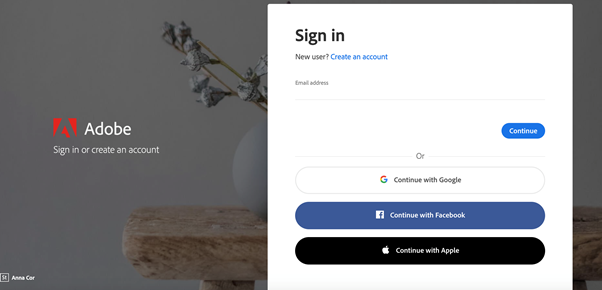
- The following screen will appear. Do not use the google option. Enter your Reed email in the email address field.
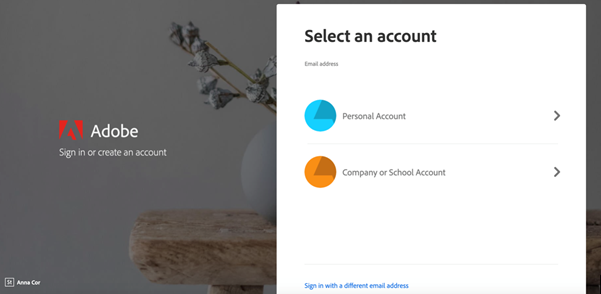
- When prompted, select Personal Account.
- Then login using your Adobe credentials (if you don't remember your Adobe password, you can reset it on Adobe's site).
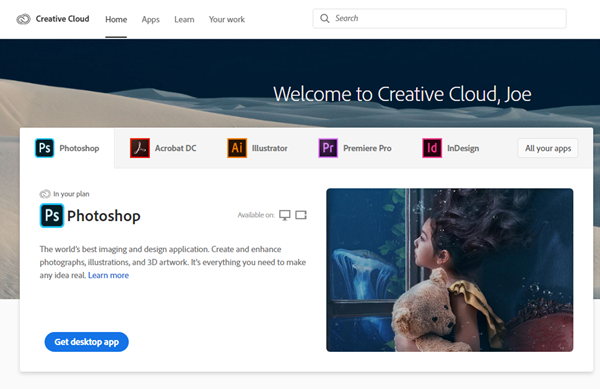
- From the Adobe website, browse for and download your desired app. Click Apps on the top of the page to view all apps.
For more information on how to download or install apps, see .
Managing Privacy Settings
Adobe may collect information about how you use Adobe desktop products, mobile apps and services. If you wish to change this you can go into your adobe account under "Privacy". That screen should look like the one below. If you wish to learn more information on this, go to
